


Last week we broke down SQL’s execution order: your clauses don’t run in the order you write them. FROM first, SELECT fifth.

With one table, that’s easy to hold in your head. Add a JOIN, and one question trips up almost everyone: when you combine two tables and then filter them, what runs first?
The JOIN. It builds the combined table before any filter touches a row, and missing that is the source of most multi-table bugs.
So today we trace it step by step, on one real query.
The order, with a JOIN in it
FROM / JOIN → WHERE → GROUP BY → HAVING → SELECT → ORDER BY → LIMIT
JOINs don’t add a new step. They live inside step one. Everything after that runs on the joined result, not on your original tables.
The query
Two tables. employees has each person’s name and field. employee_company_data has their salary and experience.
The goal: find the field with the highest average salary, among employees with 5+ years of experience.
SELECT
      e.Field,
      AVG(ed.Salary) AS Avg_salary,
      COUNT(e.ID)    AS num_answers
FROM employees AS e
LEFT JOIN employee_company_data AS ed
  ON e.ID = ed.ID
WHERE ed.Experience_years > 5
GROUP BY e.Field
HAVING COUNT(e.ID) >= 5
ORDER BY Avg_salary DESC
LIMIT 1
Here's the order SQL actually runs it in.
#1 FROM - Defining the Base Table(s)
This is where SQL starts everything. It determines which table(s) we’re working with.
➡️ If we’re using JOINs, SQL processes them here before doing any filtering!
FROM employees AS e
LEFT JOIN employee_company_data AS ed
  ON e.ID = ed.ID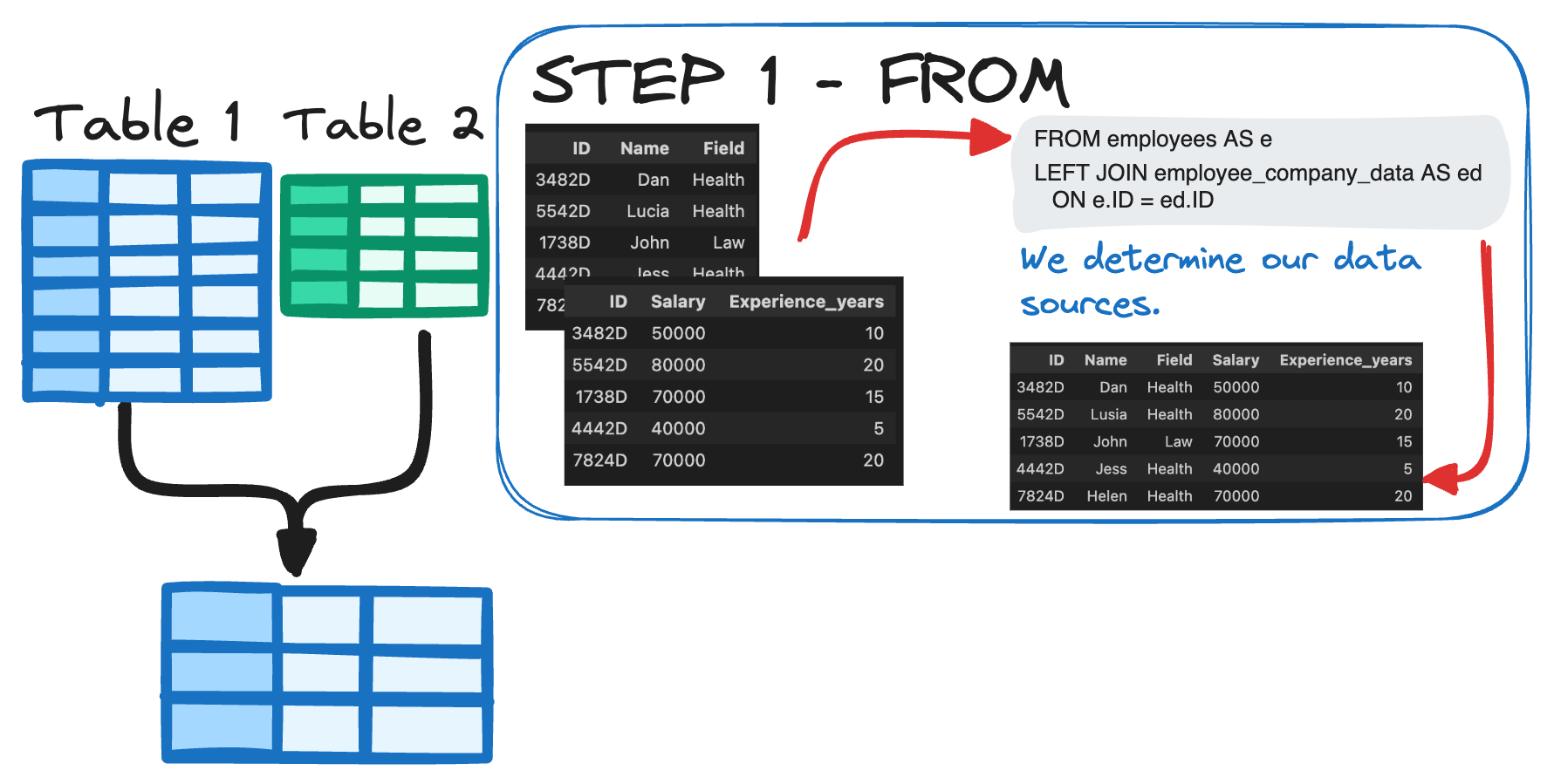
At this point, SQL combines the tables based on the JOIN condition. The type of JOIN (INNER, LEFT, RIGHT, FULL) affects which rows stay in the result set.
#2 WHERE - Filtering Rows
Now that we have a combined dataset, SQL filters individual rows before aggregation.
If you filter before the JOIN, you might accidentally remove rows you actually need.
WHERE ed.Experience_years > 5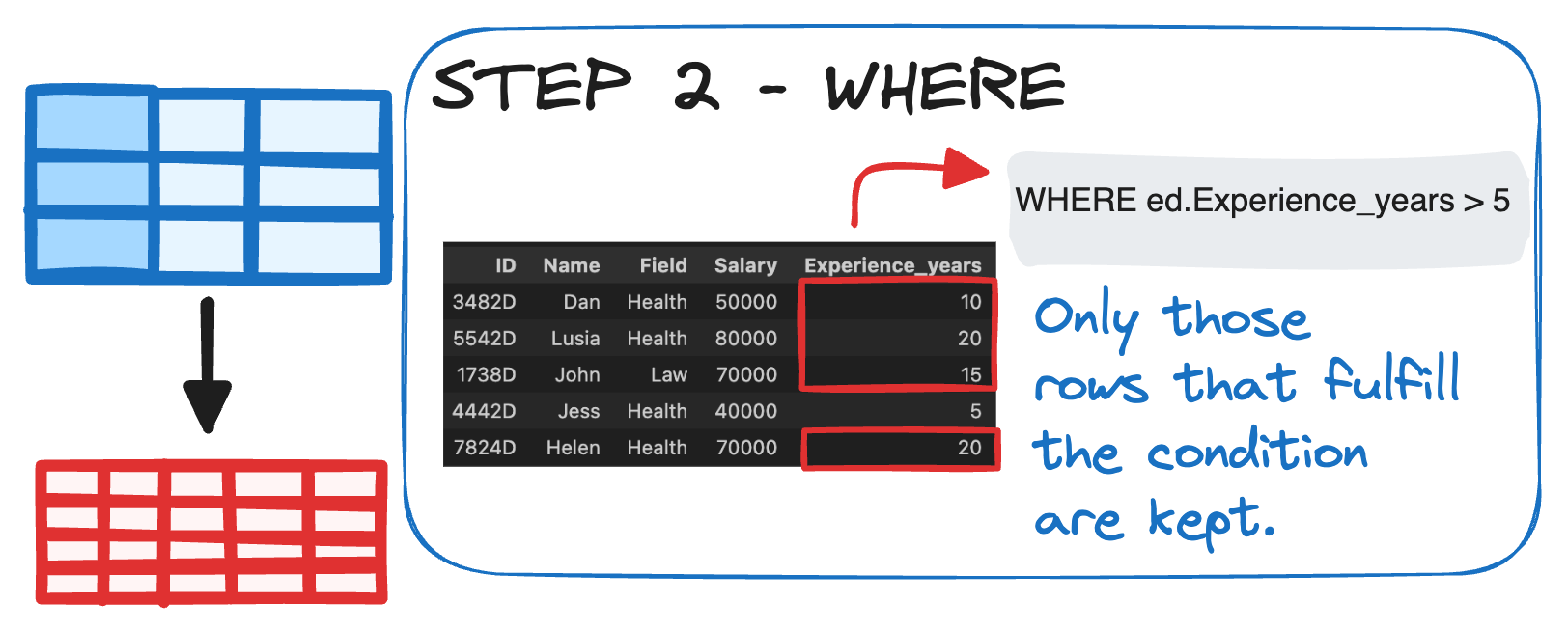
#3 GROUP BY - Aggregating Data
Once SQL has the right rows, it groups similar data into categories.
This is especially useful when calculating averages, totals, or counts per category.
GROUP BY e.Field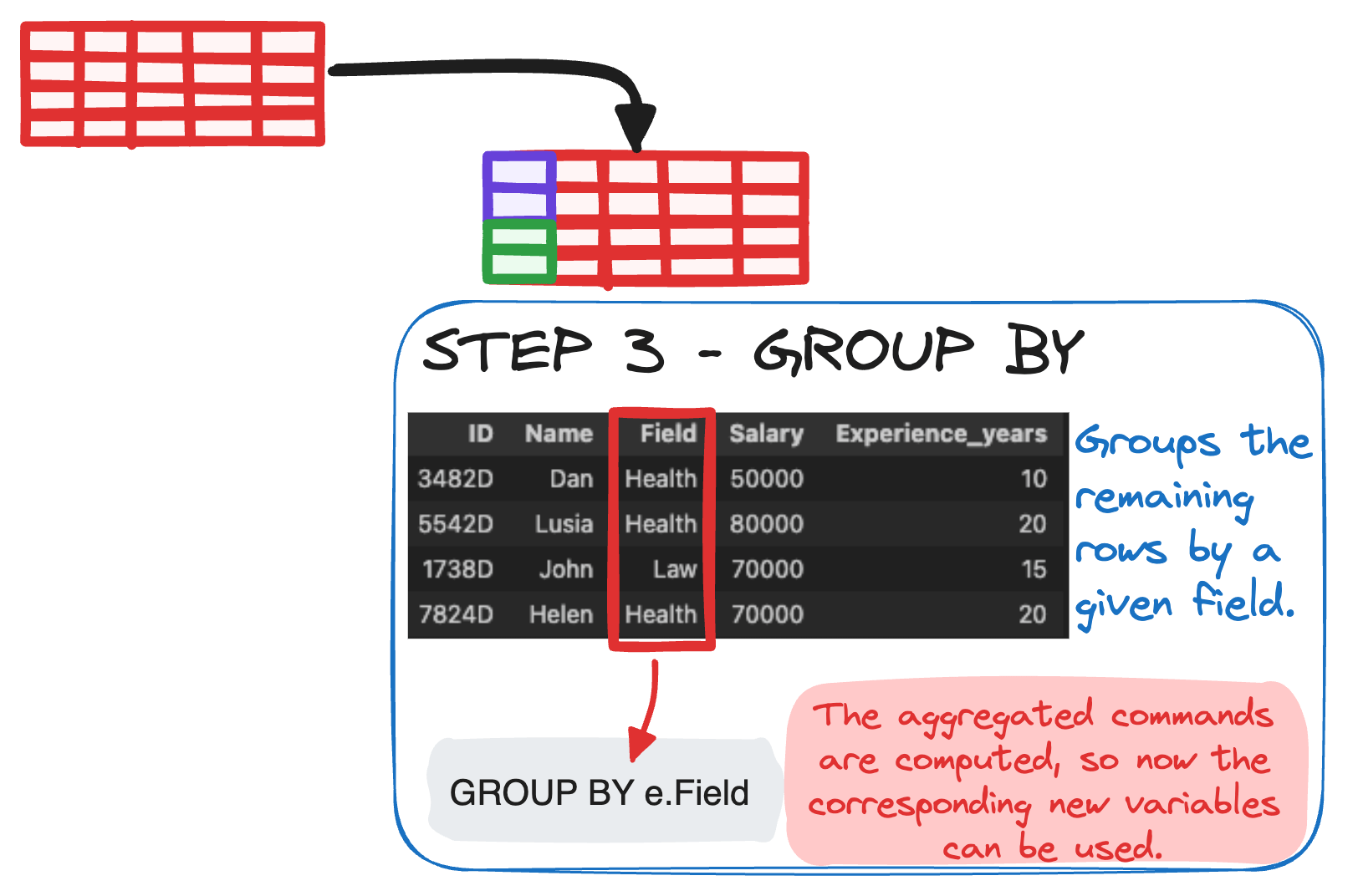
#4 HAVING - Filtering Groups
HAVING is like WHERE’s big sibling, but for grouped data.
➡️ It filters after GROUP BY, meaning it only works with aggregated values.
HAVING COUNT(e.ID) >= 5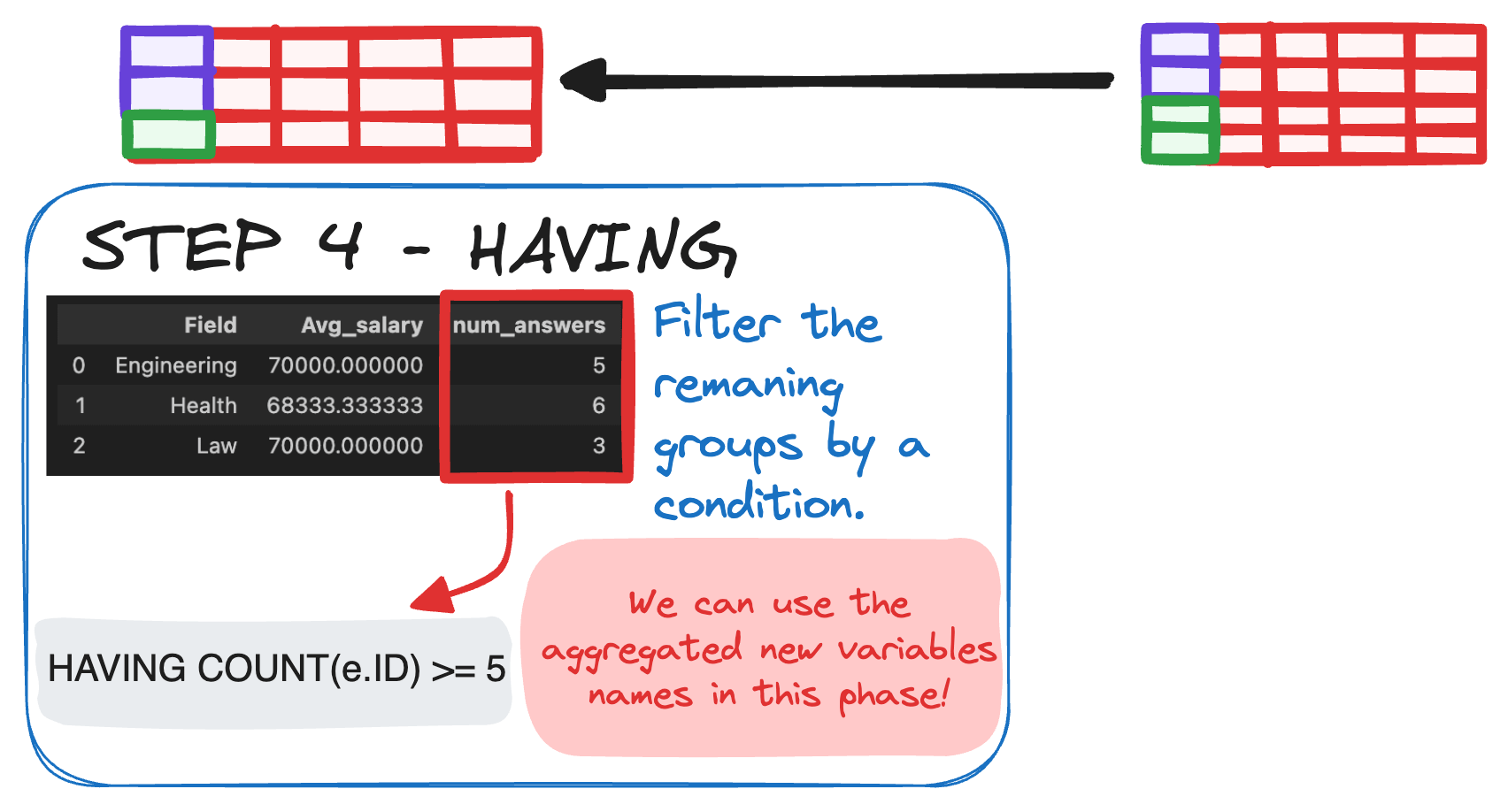
This keeps only fields with 5 employees or more, enough for the average to mean something.
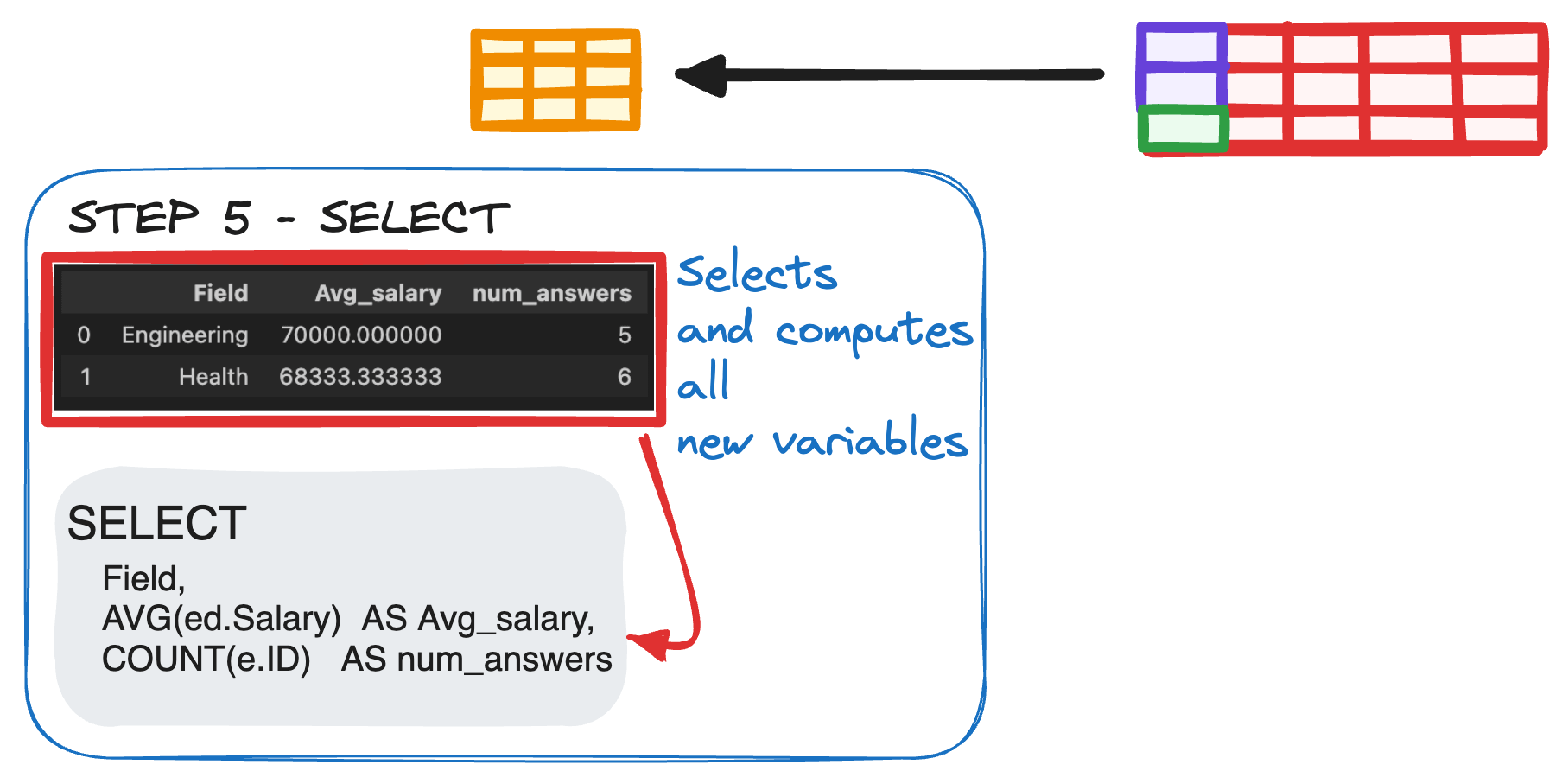
#5 SELECT - Picking the Columns
Now SQL decides what to show in the final output.
You can only select columns that are in GROUP BY or are aggregated values.
SELECT
Field,
AVG(ed.Salary)  AS Avg_salary,
COUNT(e.ID)     AS num_answers
#6 ORDER BY - Sorting the Output
Now that we have our final dataset, SQL sorts the results based on our preferences.
ORDER BY Avg_salary DESC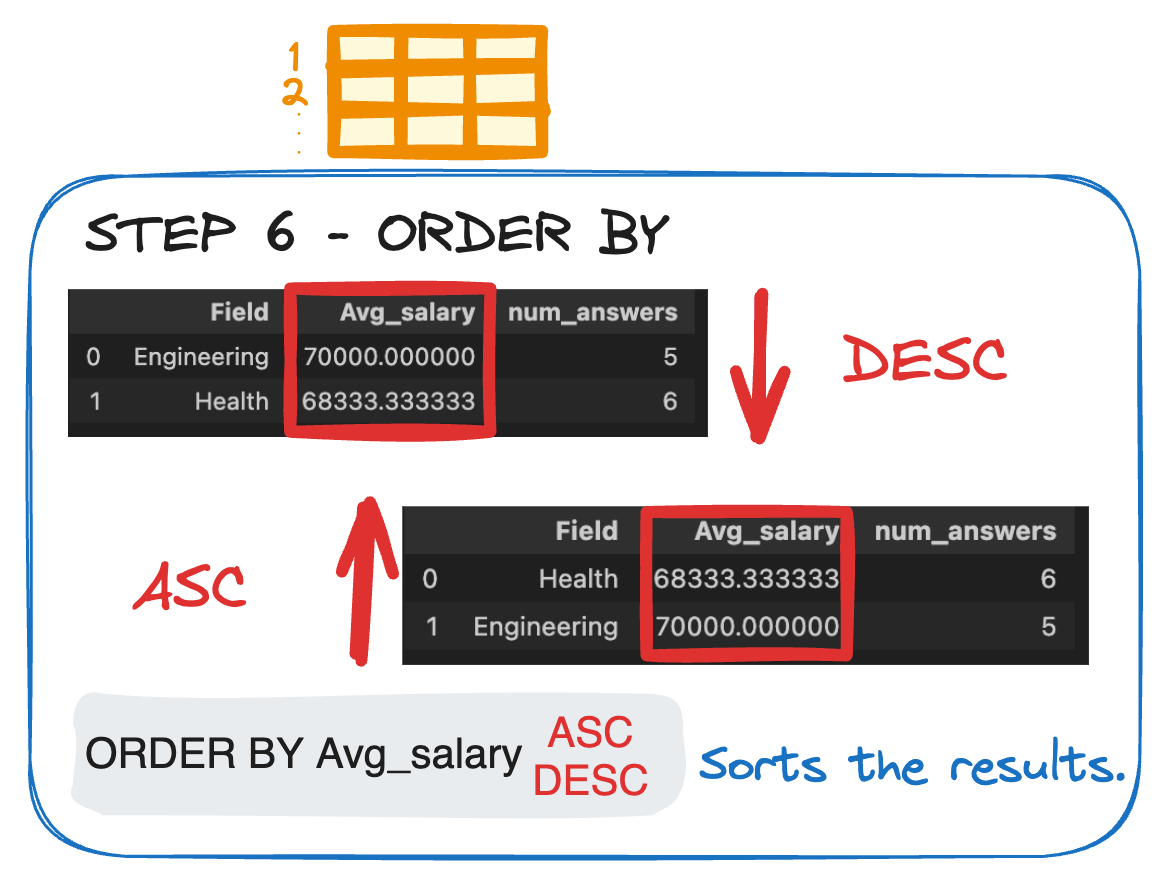
This arranges fields from highest to lowest average salary.
#7 LIMIT - Keeping it Concise 🔢
If we only want to see a single result, we limit the number of rows returned.
LIMIT 1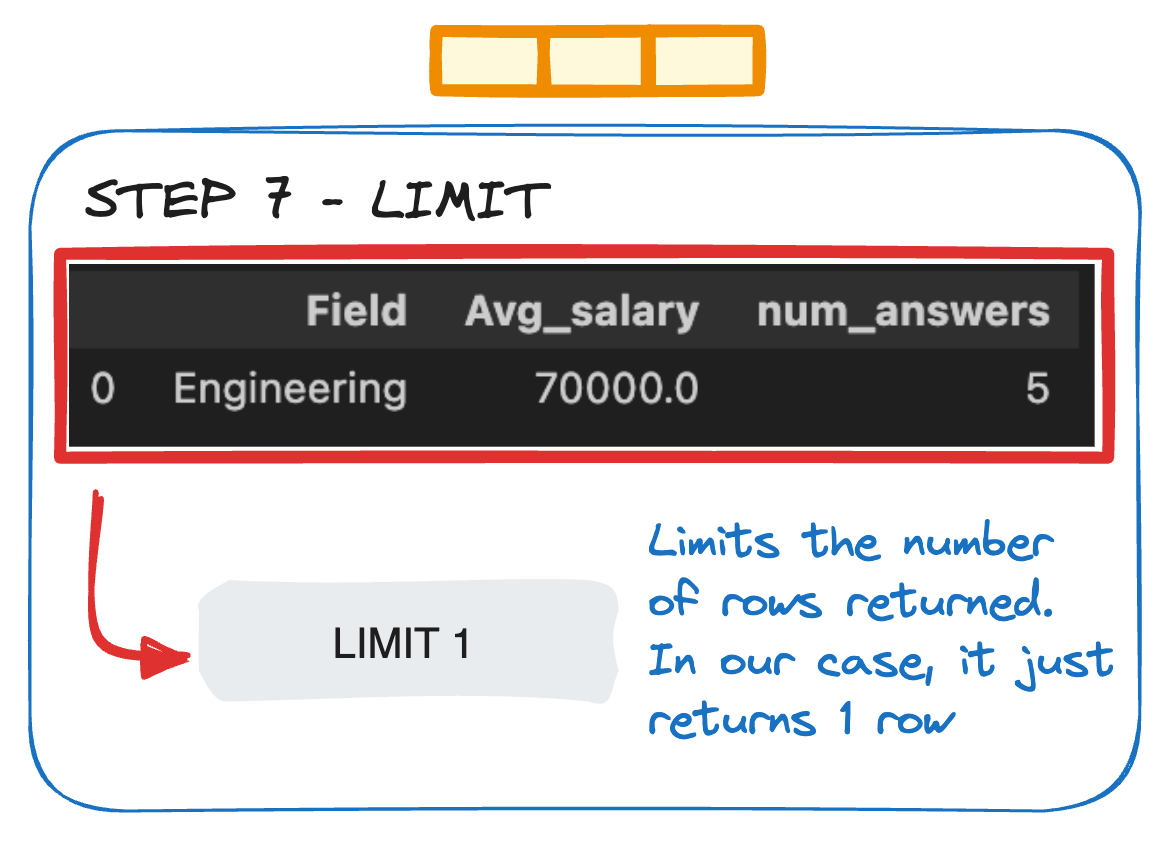
And we land on the answer: Engineering, the field with the highest average salary.
Same query, a completely different order from the one on the page, with every step running on what the one before it produced. That is execution order in action.
Once you can picture that flow, the JOIN mistakes that trip most people up become easy to spot before they happen. Here are three.
Three mistakes this prevents
Filtering before you picture the join. A
JOINcan add or drop rows. Build the combined table in your head first, then reason aboutWHERE.Using
WHEREfor grouped data. Any condition onCOUNT,SUM, orAVGbelongs inHAVING.WHEREruns before the aggregate exists.Selecting ungrouped columns. After
GROUP BY, every column inSELECTmust be in theGROUP BYor wrapped in an aggregate.
Build the joined table first, then filter, group, and filter the groups. Hold that order and multi-table queries stop surprising you.
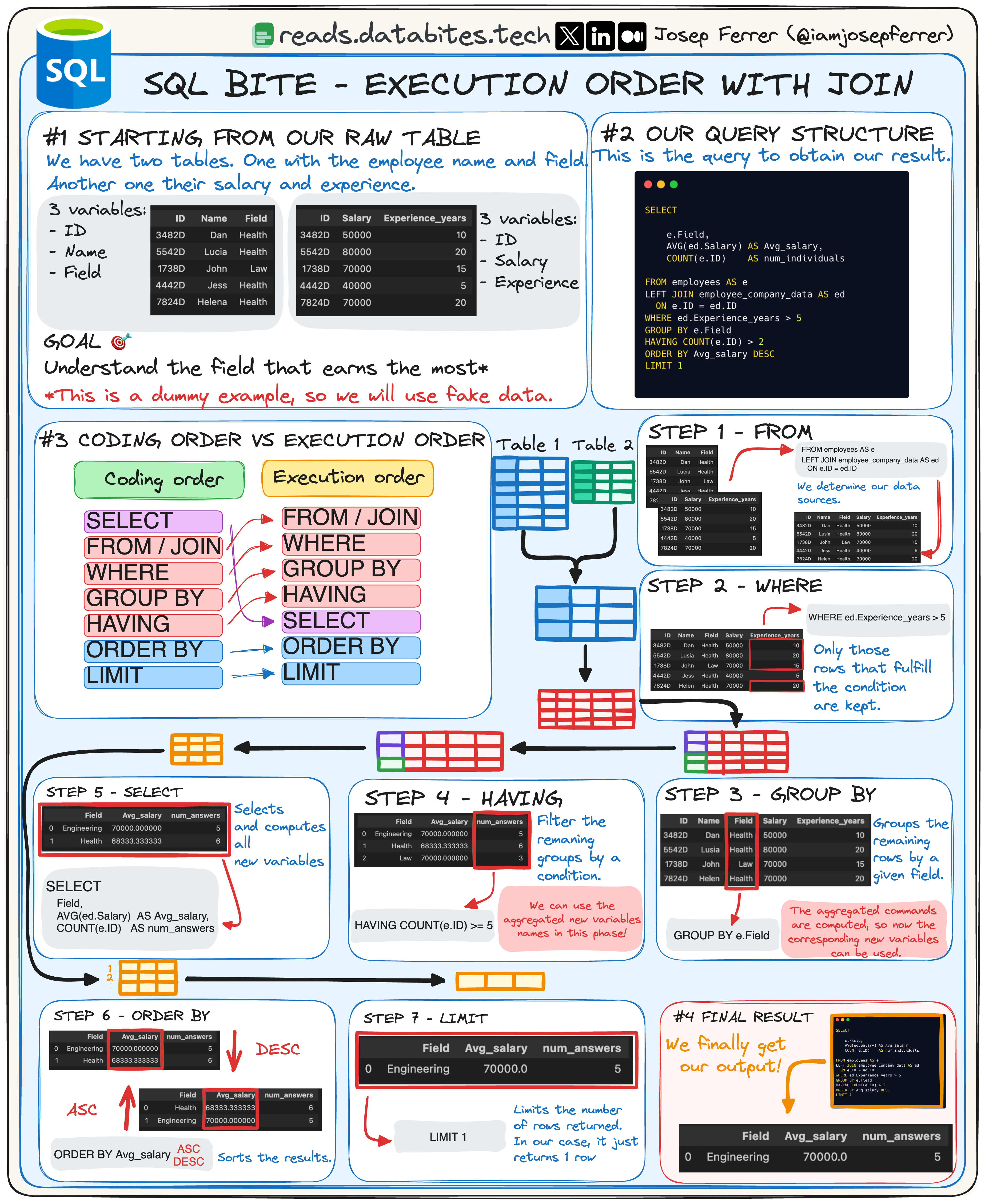
Here's this week's cheatsheet 👇🏻
—Josep
Are you still here? 🧐
👉🏻 I want this newsletter to be useful, so please let me know your feedback!
Before you go, tap the 💚 button at the bottom of this email to show your support—it really helps and means a lot!
Any doubt? Let’s start a conversation! 👇🏻
Want to get more of my content? 🙋🏻♂️
Reach me on:
LinkedIn and X (Twitter) to get daily posts about Data Science.
My Medium Blog to learn more about Data Science, Machine Learning, and AI.
Just email me at rfeers@gmail.com for any inquiries or to ask for help! 🤓